
Beta Testing Program Membership
to Where has Mom gone - Cognitive ALS - Dementia Therapy. Join us in the fight!
by Texas Land Global Services
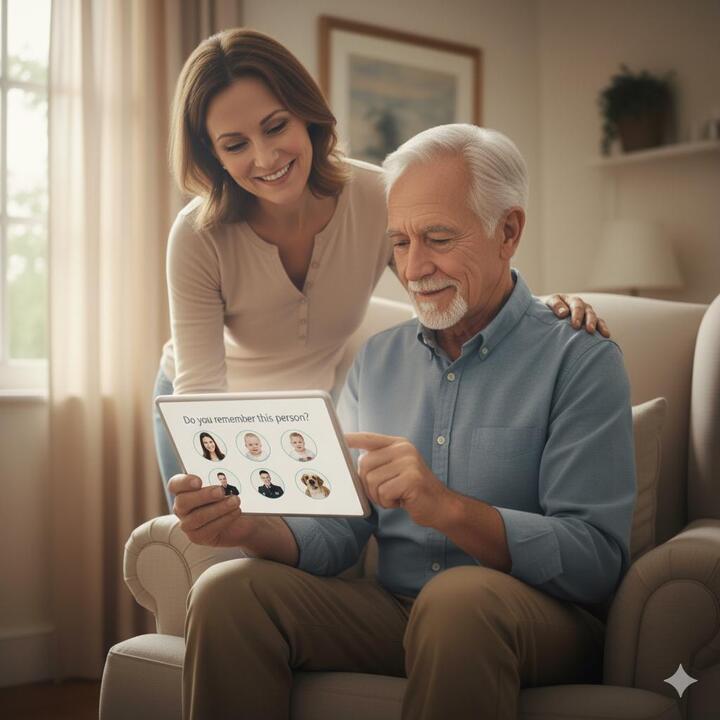
Memory Training App: Cognitive Games for Seniors & ALS / Dementia Support. Beta Testing allows up to 5 family members to partake in their loved ones care plan along with a clinician.
1. Caregiver-Centric Features (The "Control Panel")This app provides tools that help the caregiver organize, track, and manage the patient's entire world.* Customizable Content & Personalization: The app must allow caregivers to upload personal media (photos, family videos, favorite music, or even the patient's own clothing images). Generic games fail quickly; personalization is key to triggering genuine recall and engagement.* Remote Tracking & Reporting: Caregivers need to monitor usage and progress (or decline) from a distance.* Activity Logs: Track which games/activities were used, for how long, and if the patient showed agitation or engagement.* Goal Customization: Allow the caregiver (or clinician) to set specific goals (e.g., "Practice naming 5 family members") and track task completion.* Reminder & Daily Task Management:* Digital Calendar/Task List: Systems that allow the caregiver to input simple, repetitive tasks (e.g., "Take medication," "Call Daughter") and push them to the patient's screen as clear, visual prompts.* "It's Done!" Confirmation: A feature that provides positive reinforcement (like a sound or vibration) when the patient successfully completes a task or checklist item, building confidence.* Dyadic Communication Tools: Features that facilitate conversation between the patient and caregiver:* Voice Recording: The ability for a family member to record their voice describing a photo or giving instructions.* Simple Quizzes/Visual Prompts: Over a thousand quiz questions and images designed to tap into past memories and spark conversation.*Unlimited AI message generation
*Unlimited reels, eye-tracking, EHR API, weekly clinical reports
🕹️ 2. User Interface (UI) Design for ImpairmentFunctionality is worthless if the interface frustrates the patient!| Simplicity & Contrast | High Contrast Colors (e.g., stark white text on a dark background); Avoid light, pastel colors. | Compensates for vision impairment and reduced light sensitivity. || Large, Sparse Elements | Large Buttons and Icons with ample spacing between them. Large Text Size and minimal text density. | Compensates for tremor, reduced fine motor control, and difficulty reading dense text. |- Estimated delivery Jan 2026
Memory Training App: Cognitive Games for Seniors & ALS / Dementia Support. Beta Testing allows up to 5 family members to partake in their loved ones care plan along with a clinician.
1. Caregiver-Centric Features (The "Control Panel")This app provides tools that help the caregiver organize, track, and manage the patient's entire world.* Customizable Content & Personalization: The app must allow caregivers to upload personal media (photos, family videos, favorite music, or even the patient's own clothing images). Generic games fail quickly; personalization is key to triggering genuine recall and engagement.* Remote Tracking & Reporting: Caregivers need to monitor usage and progress (or decline) from a distance.* Activity Logs: Track which games/activities were used, for how long, and if the patient showed agitation or engagement.* Goal Customization: Allow the caregiver (or clinician) to set specific goals (e.g., "Practice naming 5 family members") and track task completion.* Reminder & Daily Task Management:* Digital Calendar/Task List: Systems that allow the caregiver to input simple, repetitive tasks (e.g., "Take medication," "Call Daughter") and push them to the patient's screen as clear, visual prompts.* "It's Done!" Confirmation: A feature that provides positive reinforcement (like a sound or vibration) when the patient successfully completes a task or checklist item, building confidence.* Dyadic Communication Tools: Features that facilitate conversation between the patient and caregiver:* Voice Recording: The ability for a family member to record their voice describing a photo or giving instructions.* Simple Quizzes/Visual Prompts: Over a thousand quiz questions and images designed to tap into past memories and spark conversation.*Unlimited AI message generation
*Unlimited reels, eye-tracking, EHR API, weekly clinical reports
🕹️ 2. User Interface (UI) Design for ImpairmentFunctionality is worthless if the interface frustrates the patient!| Simplicity & Contrast | High Contrast Colors (e.g., stark white text on a dark background); Avoid light, pastel colors. | Compensates for vision impairment and reduced light sensitivity. || Large, Sparse Elements | Large Buttons and Icons with ample spacing between them. Large Text Size and minimal text density. | Compensates for tremor, reduced fine motor control, and difficulty reading dense text. |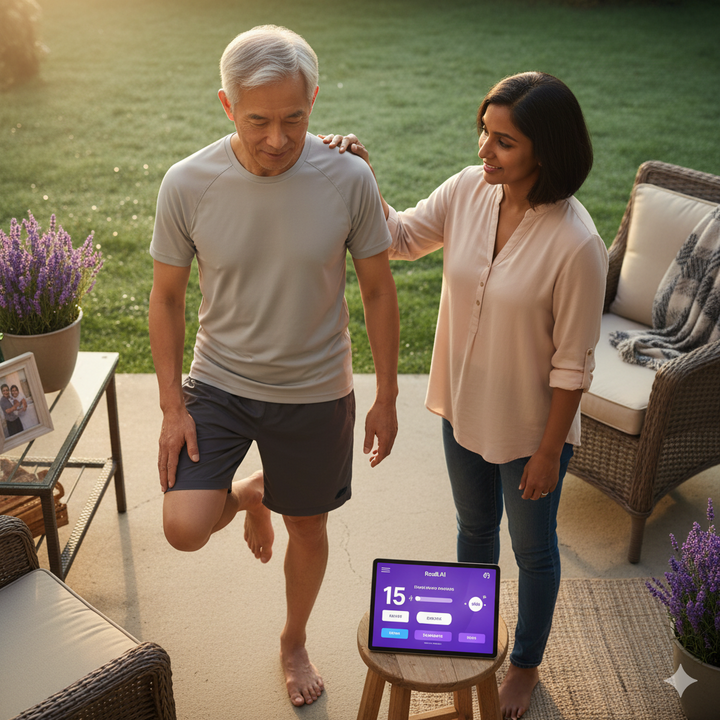
Memory Training App: Cognitive Games for Seniors & ALS / Dementia Support. Discounted Annual Subscription - Save 20% off the Pro Plan normal price of $1,200 per year - ONLY AVAILABLE DURING BETA TESTING SIGN-UP. Subscriptions will start the week of 5Jan2026. Pro Plan subscriptions include licenses for up to 5 family members and 1 member of the Care Team. ALS and "Spaced Retrieval" memory exercises.
1. Caregiver-Centric Features (The "Control Panel")This app provides tools that help the caregiver organize, track, and manage the patient's entire world.* Customizable Content & Personalization: The app must allow caregivers to upload personal media (photos, family videos, favorite music, or even the patient's own clothing images). Generic games fail quickly; personalization is key to triggering genuine recall and engagement.* Remote Tracking & Reporting: Caregivers need to monitor usage and progress (or decline) from a distance.* Activity Logs: Track which games/activities were used, for how long, and if the patient showed agitation or engagement.* Goal Customization: Allow the caregiver (or clinician) to set specific goals (e.g., "Practice naming 5 family members") and track task completion.* Reminder & Daily Task Management:* Digital Calendar/Task List: Systems that allow the caregiver to input simple, repetitive tasks (e.g., "Take medication," "Call Daughter") and push them to the patient's screen as clear, visual prompts.* "It's Done!" Confirmation: A feature that provides positive reinforcement (like a sound or vibration) when the patient successfully completes a task or checklist item, building confidence.* Dyadic Communication Tools: Features that facilitate conversation between the patient and caregiver:* Voice Recording: The ability for a family member to record their voice describing a photo or giving instructions.* Simple Quizzes/Visual Prompts: Over a thousand quiz questions and images designed to tap into past memories and spark conversation.*Unlimited AI message generation
*Unlimited reels, eye-tracking, EHR API, weekly clinical reports
🕹️ 2. User Interface (UI) Design for ImpairmentFunctionality is worthless if the interface frustrates the patient!| Simplicity & Contrast | High Contrast Colors (e.g., stark white text on a dark background); Avoid light, pastel colors. | Compensates for vision impairment and reduced light sensitivity. || Large, Sparse Elements | Large Buttons and Icons with ample spacing between them. Large Text Size and minimal text density. | Compensates for tremor, reduced fine motor control, and difficulty reading dense text. || Intuitive Icons | Icons must be intuitive and familiar; avoid technical jargon or homonyms. | Reduces cognitive load and prevents confusion (a core function of the app is to reduce confusion). || No Interruptions | Absolutely no pop-up advertisements. | Pop-ups cause acute confusion, frustration, and often lead to the abandonment of the app.

Memory Training App: Cognitive Games for Seniors & ALS / Dementia Support. Discounted Annual Subscription - Save 20% off the normal price of $49per month forever. - ONLY AVAILABLE DURING BETA TESTING SIGN-UP. Subscriptions will start the week of 5Jan2026. All subscriptions include licenses for up to 5 family members and 1 member of the Care Team. ALS and "Spaced Retrieval" memory exercises.
1. Caregiver-Centric Features (The "Control Panel")This app provides tools that help the caregiver organize, track, and manage the patient's entire world.* Customizable Content & Personalization: The app must allow caregivers to upload personal media (photos, family videos, favorite music, or even the patient's own clothing images). Generic games fail quickly; personalization is key to triggering genuine recall and engagement.* Remote Tracking & Reporting: Caregivers need to monitor usage and progress (or decline) from a distance.* Activity Logs: Track which games/activities were used, for how long, and if the patient showed agitation or engagement.* Goal Customization: Allow the caregiver (or clinician) to set specific goals (e.g., "Practice naming 5 family members") and track task completion.* Reminder & Daily Task Management:* Digital Calendar/Task List: Systems that allow the caregiver to input simple, repetitive tasks (e.g., "Take medication," "Call Daughter") and push them to the patient's screen as clear, visual prompts.* "It's Done!" Confirmation: A feature that provides positive reinforcement (like a sound or vibration) when the patient successfully completes a task or checklist item, building confidence.* Dyadic Communication Tools: Features that facilitate conversation between the patient and caregiver:* Voice Recording: The ability for a family member to record their voice describing a photo or giving instructions.* Simple Quizzes/Visual Prompts: Over a thousand quiz questions and images designed to tap into past memories and spark conversation.* This plan includes the patient and up to 3 family members.
🕹️ 2. User Interface (UI) Design for ImpairmentFunctionality is worthless if the interface frustrates the patient!| Simplicity & Contrast | High Contrast Colors (e.g., stark white text on a dark background); Avoid light, pastel colors. | Compensates for vision impairment and reduced light sensitivity. || Large, Sparse Elements | Large Buttons and Icons with ample spacing between them. Large Text Size and minimal text density. | Compensates for tremor, reduced fine motor control, and difficulty reading dense text. || Intuitive Icons | Icons must be intuitive and familiar; avoid technical jargon or homonyms. | Reduces cognitive load and prevents confusion (a core function of the app is to reduce confusion). || No Interruptions | Absolutely no pop-up advertisements. | Pop-ups cause acute confusion, frustration, and often lead to the abandonment of the app.
